About This Game
What Is Pikachu Volleyball
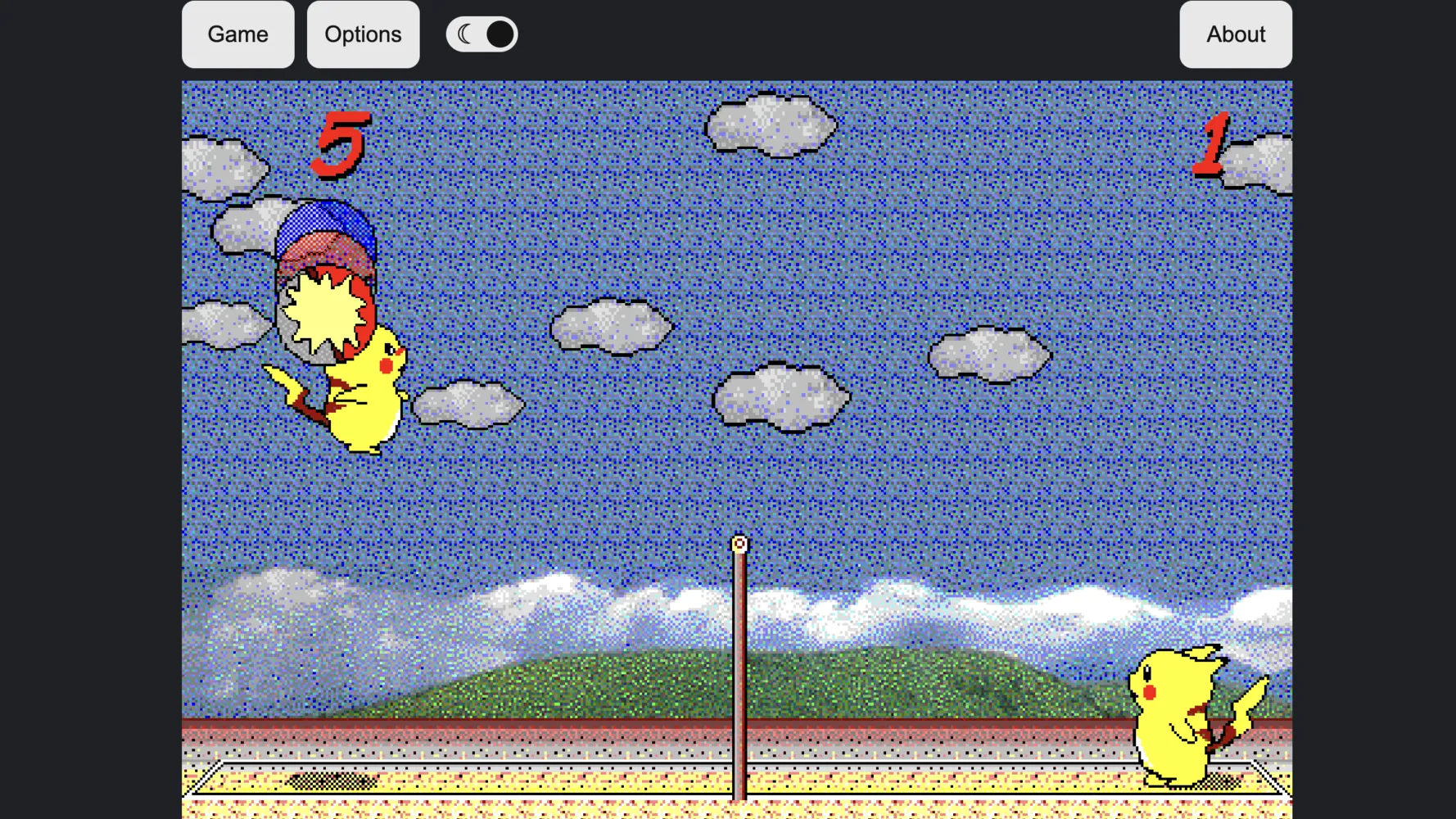
Pikachu Volleyball is a legendary 1997 Japanese retro PC game (originally titled 対戦ピカチュウビーチバレーボール) developed by OutOfBounds / SAWA. Featuring Pokémon’s iconic mascot, Pikachu, competing in 1v1 beach volleyball, this classic title gained cult status across school computer labs and internet cafes in the late 1990s and 2000s.
In Pikachu Volleyball, two Pikachus face off across a net, using jumps, diving saves, and sharp angled spikes to send a Pokéball back and forth. Despite its simple two-dimensional pixel art graphics, the game offers surprisingly deep physics, fast-paced rallies, and tense head-to-head competition. Modern web conversions allow you to play Pikachu Volleyball directly in your browser with peer-to-peer (P2P) online multiplayer or against single-player AI opponents.
How to Play Pikachu Volleyball
The objective of Pikachu Volleyball is simple: hit the Pokéball over the net and make it land on your opponent’s side of the court. The first player to score 15 points wins the match.
Controls Guide
- Player 1 (Left Side):
- Move Left / Right:
A/D(or Left / Right Arrow keys) - Jump:
W(or Up Arrow) - Dive / Down:
SorVkey - Hit / Spike:
SpaceorEnter
- Move Left / Right:
- Player 2 (Right Side - Local 2P):
- Move Left / Right:
D/Gor Arrow keys - Jump:
Ror Up Arrow - Hit / Spike:
ZorEnter
- Move Left / Right:
Core Mechanics
- Serving: Hit the ball from your side to initiate the rally.
- Jumping & Spiking: Time your jump to meet the ball at its peak, then press your attack key along with a directional arrow to slam the ball down diagonally into empty space.
- Diving Saves: When a spiked ball travels low and fast, press the dive command to slide across the sand and pop the ball back up into play.
Key Features & Highlights
- Classic Retro Nostalgia: Pure 90s 16-bit arcade aesthetics with authentic sound effects, cheerful animations, and retro physics.
- P2P Online & Local Multiplayer: Play locally on a shared keyboard or connect with friends online via WebRTC room IDs without installing any software.
- Adjustable Difficulty & Practice Mode: Train your spikes against customizable AI opponents ranging from casual bots to ruthless master-level AI.
- No Download Required: Runs seamlessly inside modern desktop browsers with zero input lag.
- Fast-Paced Rallies: Short, intense matches that take only a few minutes, making it perfect for quick breaks.
Tips & Strategies
- Master the Spike Angle: Don’t just hit the ball straight over. Jump high and hold
Down + Forwardwhile pressing spike to send the ball crashing close to the net or deep into the back corner. - Control Court Center: Return to the center of your court after every hit so you can cover both short drops near the net and deep lobs.
- Use the Cloud Net Bounce: The net in Pikachu Volleyball can bounce balls vertically if struck at specific angles. Use net bounces to throw off your opponent’s defensive timing.
- Feint with Soft Hits: Alternate between hard downward smashes and gentle floating lobs over an over-committed opponent.
- Time Your Dives: Diving leaves Pikachu momentarily immobilized. Dive only when necessary to save a game-winning point.
Frequently Asked Questions (FAQ)
Can I play Pikachu Volleyball online with friends?
Yes! Modern web versions feature peer-to-peer (P2P) multiplayer. Simply create a room ID on the website, share the code with your friend, and start playing together instantly online.
How do you perform a spike in Pikachu Volleyball?
Jump into the air while the Pokéball is above Pikachu’s head, hold a directional key (such as Down-Right or Down-Left), and press the hit button (Space or Enter) to slam the ball into the opponent’s side.
Why does the P2P multiplayer fail to connect?
P2P connections rely on WebRTC. If you cannot connect to another player, ensure that neither player is behind a strict corporate firewall, VPN, or network blocking UDP traffic. Using the “Test Network” utility on the game page can help diagnose connectivity issues.
Can I play Pikachu Volleyball on mobile devices?
While the game can load on mobile web browsers, touchscreen controls are generally not supported natively. Connecting a Bluetooth keyboard or gamepad to your phone or tablet is recommended for smooth play.