About This Game
What Is Casual Pinball Game
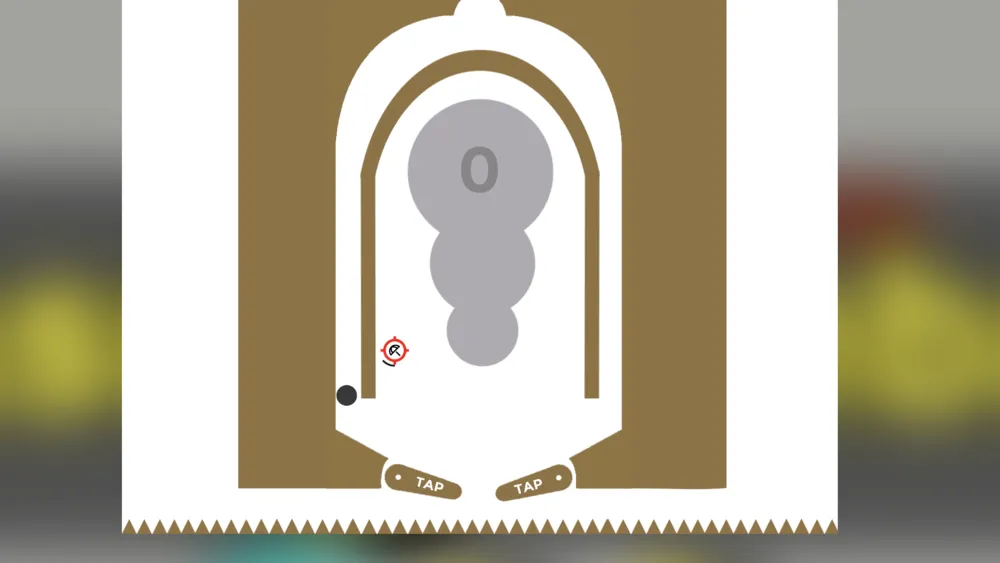
Casual Pinball Game is an HTML5 browser pinball title that bottles up the pure, addictive energy of a real arcade machine and puts it on any device with a modern web browser. The playfield is loaded with pop bumpers, glowing ramps, spinner targets, drop-target banks, and multiple scoring lanes — every element designed to send the ball ricocheting in satisfying, momentum-driven directions.
Unlike many lightweight mobile pinball clones, Casual Pinball Game commits to genuine physics: ball weight, flipper spring tension, and surface friction all influence where the ball goes next. Hit the right combination of targets in sequence and the playfield erupts into Multiball mode, flooding the table with multiple balls and a temporary Ball Save window that lets you go on the offensive without fear.
The game runs entirely in your browser — no app store, no install, no sign-up. That makes it ideal for a quick five-minute session, but it’s deep enough that chasing a personal best can keep you at the table for hours.
How to Play Casual Pinball Game
The controls are simple to pick up, but reading the table and timing your shots is what separates a 10,000-point run from a 500,000-point one.
- Launch the Ball — Hold the Spacebar (or pull the on-screen plunger) to build tension, then release to fire the ball up the launch lane. Calibrate your plunger force to drop the ball into the highlighted Skill Shot lane for instant bonus points right out of the gate.
- Control the Flippers — On desktop, use the Left / Right Arrow keys (or Z / / keys on some setups) to swing the left and right flippers. On mobile and tablets, tap the left half of the screen for the left flipper and the right half for the right flipper.
- Chase Active Targets — Watch for flashing lights on bumpers, ramps, and target banks. Lit targets pay out far more points than dark ones and often count toward completing mission sequences.
- Trigger Multiball Mode — Lock balls into designated locking lanes (watch for the lock indicators on the playfield). Once all required balls are locked, Multiball erupts and your scoring potential multiplies instantly.
- Nudge the Table (with Care) — Some versions let you nudge the table by tapping a directional key to steer a ball threatening to drain down an outlane. Overdo it and you’ll trigger a Tilt penalty, freezing your flippers for several costly seconds.
- Defend the Drain — The center gap between the flippers and the two side outlanes are where runs end. Use your flippers independently — never flip both simultaneously — to give yourself the best coverage.
Key Features & Highlights
- Instant No-Download Play: Full HTML5 game loads straight in Chrome, Safari, Firefox, and Edge — desktop, mobile, and tablet all supported.
- Authentic Ball Physics: Real gravity simulation, friction modeling, and angle-dependent flipper trajectories mean every shot feels physical and consequential.
- Multiball & Score Multipliers: Chain target combos to stack multipliers and unlock Multiball, where a Ball Save window lets you attack the table without holding back.
- Skill Shot System: The very first plunger pull rewards precision — land the ball in the lit Skill Shot lane for a significant early score boost.
- Dual-Input Controls: Responsive keyboard and touch controls designed so neither input feels like an afterthought.
- Retro Arcade Atmosphere: Punchy sound effects, neon playfield lighting, and satisfying haptic-style feedback on every successful hit.
Tips & Strategies for High Scores
- Trap Before You Shoot: Hold one flipper up to catch the ball as it rolls in, let it settle, then take a deliberate aimed shot. Panicked, reactive flipping is the fastest way to drain.
- Use One Flipper at a Time: Swinging both flippers simultaneously opens a wide gap in the center. Always keep one flipper in a protective low position while the other does the work.
- Read the Skill Shot Every Ball: Don’t just launch at full power. Each new ball gives you a fresh Skill Shot opportunity — take a second to gauge where the lit lane is before you pull the plunger.
- Prioritize Ramps Over Bumpers: Pop bumpers are fun but unpredictable. Ramp shots send the ball on a controlled arc, earn more points, and frequently trigger mission progress simultaneously.
- Dead Bounce to the Opposite Flipper: When a ball drops gently onto a lowered flipper at a shallow angle, resist pressing the key. Let it bounce naturally across to the other flipper for a controlled reset rather than a wild ricochet.
- Attack During Ball Save: The first few seconds of Multiball always include a Ball Save safety net. Use this window to hammer the highest-value targets at full speed — draining during Ball Save costs you nothing.
- Watch the Outlanes: The side outlanes (just outside each flipper) are silent score-killers. Keep an eye on the ball’s trajectory whenever it approaches either side rail.
Frequently Asked Questions (FAQ)
Is Casual Pinball Game free to play? Yes — completely free, no purchase, no subscription, no account required. Open the page and play immediately on any modern browser.
How many balls does each game give you? Standard play gives you three balls per game. Each time the ball drains past the flippers, one ball is used. Multiball mode can briefly run multiple balls simultaneously, but they still count against your total if they all drain.
What keyboard keys control the flippers? On most desktop setups, the Left Arrow key controls the left flipper and the Right Arrow key controls the right flipper. The Spacebar launches the ball. Some browsers require you to click inside the game area first to give it keyboard input focus — if keys aren’t responding, try clicking once on the game screen.
My keyboard keys aren’t working in-browser — how do I fix this? Click directly on the game canvas to give it input focus. If using Chrome or Edge, make sure Hardware Acceleration is enabled in browser settings (Settings → System → Use hardware acceleration when available), as some HTML5 physics games need it for proper responsiveness.
What is the Tilt penalty? If nudging is enabled, pressing the nudge key too many times or too aggressively triggers a Tilt warning. Your flippers lock out temporarily and any in-progress score multipliers may reset — so nudge sparingly and only when the ball is about to drain down an outlane.